
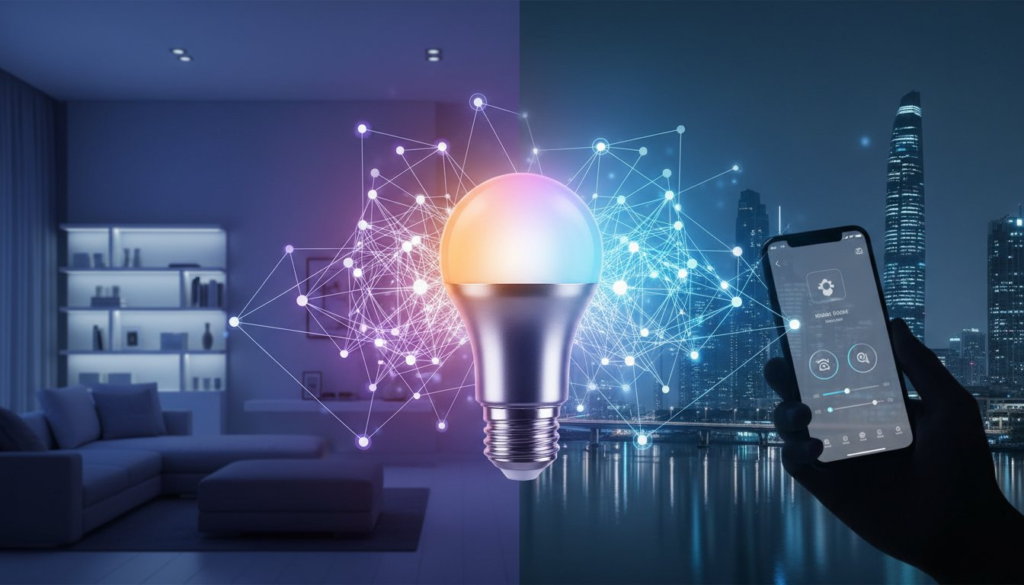
Smart lighting is often the first step into the world of home automation, offering a brilliant blend of convenience, ambiance, and efficiency. But how does an ordinary-looking bulb become so intelligent? Discover the technology behind smart bulbs, from wireless connections to app control, and learn how they create an intelligent lighting experience that transforms your home.
The Core Components: What Makes a Light Bulb ‘Smart’?
At its heart, a smart bulb is a high-quality, energy-efficient LED light with a few key pieces of technology cleverly built inside. These additions are what elevate it from a simple light source to a dynamic part of your connected home. Inside every smart bulb, you’ll find a microchip that acts as its brain, processing commands to turn on, dim, or change color. It also contains a tiny radio that allows it to communicate wirelessly with your phone, a smart home assistant, or a central hub.
How Smart Bulbs Communicate: Wi-Fi, Bluetooth, and Zigbee
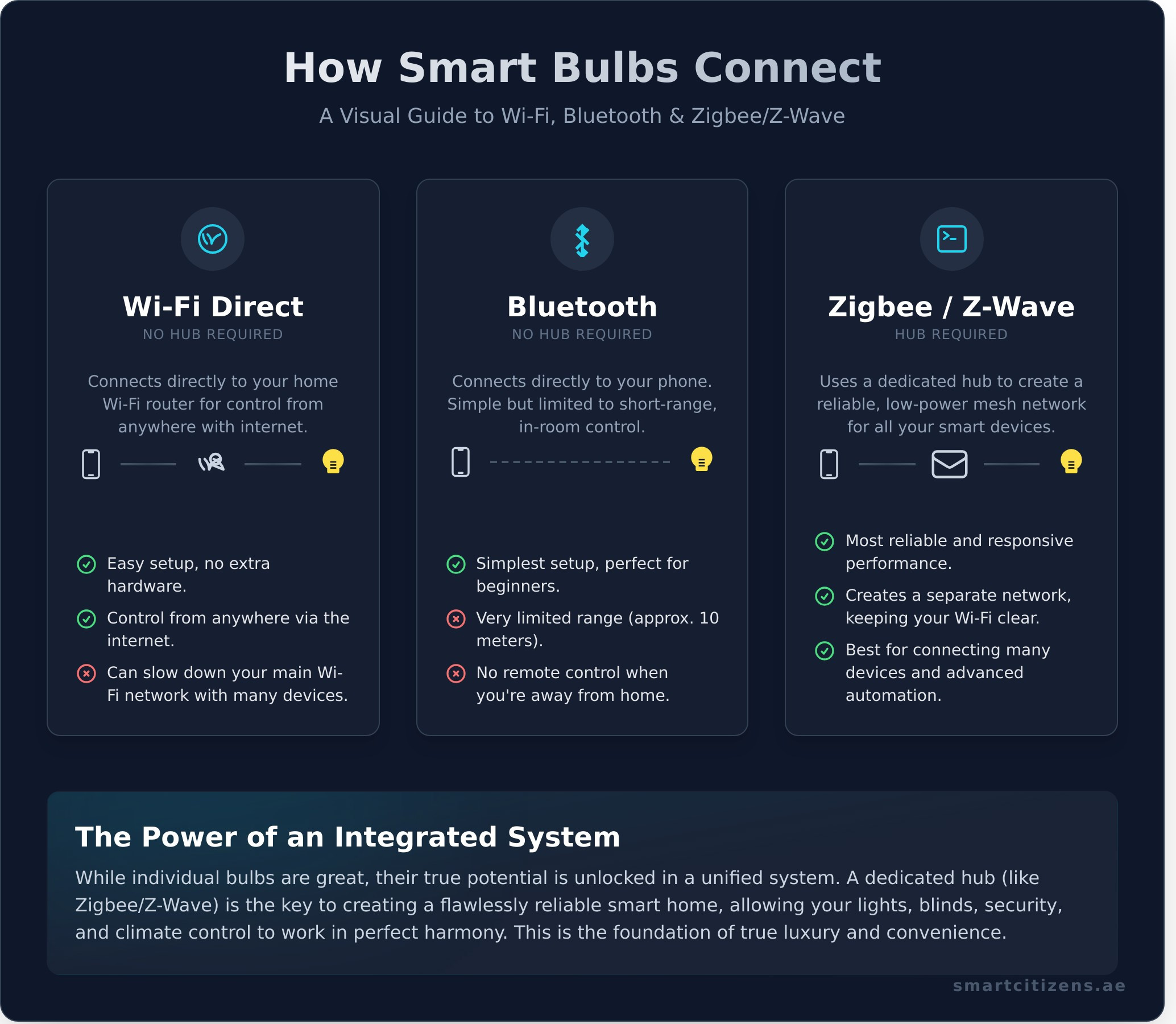
- Wi-Fi Bulbs: These are the most straightforward type. They connect directly to your home’s Wi-Fi router, just like your laptop or smartphone, allowing you to control them from anywhere you have an internet connection.
- Bluetooth Bulbs: These bulbs connect directly to your smartphone via Bluetooth. They are simple to set up but are limited by range, meaning you need to be in the same room or nearby to control them.
- Zigbee/Z-Wave Bulbs: These bulbs use a low-power wireless protocol to communicate with a central smart hub. The hub then connects to your Wi-Fi router, creating a dedicated and highly reliable network for all your smart devices.
Do You Need a Smart Hub? Hub vs. Hub-less Systems
- A hub-less setup using Wi-Fi or Bluetooth is perfect for starting with one or two bulbs in a single room. It’s simple and cost-effective.
- A dedicated smart hub creates a more robust, responsive, and reliable network, especially as you add more devices. It reduces traffic on your main Wi-Fi network.
- Hubs are the key to unlocking advanced automation, allowing your lights to interact seamlessly with other smart devices like sensors, blinds, and thermostats.
From App to Ambiance: The Control Process Explained
The magic of smart lighting lies in its effortless control. When you tap a button in an app or give a voice command to an assistant like Alexa or Google Assistant, you initiate a simple yet powerful process. The command is sent as a wireless signal from your phone or speaker, which travels through your network to either the bulb directly or its central hub. The bulb’s internal chip instantly receives and executes the command, whether it’s to dim to 50%, turn brilliant blue, or switch off entirely.
More Than On/Off: What You Can Control
- Adjust brightness levels (dimming) instantly. Go from bright task lighting to a soft, warm glow without ever touching a physical dimmer switch.
- Change colors to match your mood. With millions of color options, you can paint your walls with light, creating the perfect atmosphere for any occasion.
- Set schedules for waking up or security. Program your lights to brighten gently in the morning or turn on and off randomly when you’re away to simulate presence.
Creating Scenes and Automations for a Seamless Life
- A “Movie Night” scene can be programmed to dim your main lights, turn on accent lighting, and even close your smart blinds with a single command.
- Automate your entryway lights to turn on the moment your smart lock registers you’ve arrived home, welcoming you into a well-lit space.
- For ultimate intelligence, sync your lighting with your security or climate systems. For example, have all lights flash red if a smoke alarm is triggered.
Answering Your Key Questions About Smart Bulbs
- Do they use electricity when off? Yes, but only a tiny, negligible amount of standby power to stay connected to the network. It’s far less than most other electronics in your home.
- Can I still use my normal light switch? For the bulb to work, the physical light switch must remain in the “on” position. Turning it off cuts power to the bulb, making it unresponsive.
- How long do smart bulbs last? As they are LED-based, smart bulbs last significantly longer than traditional incandescent bulbs—often for 15,000 to 25,000 hours or more.
Beyond a Single Bulb: The Power of an Integrated System
While individual smart bulbs are a fantastic introduction to smart technology, their true potential is unlocked within a professionally designed and integrated system. The true luxury of smart living comes from the seamless harmony of all your home’s systems. Imagine your lights, blinds, and air conditioning working together to create the perfect environment, all controlled from a single, intuitive interface. A central system provides unmatched reliability and control, eliminating the frustration of managing multiple apps and disconnected devices.
Why a Unified System Matters for Luxury Living
- Control every light in your entire villa from one intelligent app, whether you are at home or halfway around the world.
- Create sophisticated and layered lighting scenes that enhance your architecture and adapt to your lifestyle with effortless grace.
- Ensure flawless, instantaneous performance without the connectivity issues or delays that can plague simpler, DIY setups. Smart Citizens are experts who can help you discover how we design integrated lighting systems in Dubai for the ultimate smart home experience.
Frequently Asked Questions
Do smart light bulbs work without an internet connection?
It depends. Wi-Fi bulbs require an internet connection for control, especially when you’re away. Zigbee or Z-Wave bulbs connected to a local hub can often still operate on schedules and via sensors even if the internet is down.
Can you use smart bulbs in any light fixture?
Yes, as long as the bulb has the correct base (e.g., E27, E14, GU10) to fit the fixture. However, they should not be used with physical dimmer switches, as this can damage the bulb’s internal electronics.
How do I reset a smart light bulb?
Most smart bulbs can be reset by turning the physical light switch on and off in a specific sequence, typically 3-5 times. Always check the manufacturer’s instructions for the exact procedure.
Are smart lighting systems secure from hacking?
Reputable brands use encryption to secure their devices. Systems that use a Zigbee/Z-Wave hub can offer an extra layer of security compared to devices connected directly to your Wi-Fi. Always use strong, unique passwords for your accounts.
Can smart bulbs save me money on my electricity bill?
Yes. Since they are LED, they are far more energy-efficient than traditional bulbs. Furthermore, the ability to schedule and automate dimming and turn-offs ensures lights are only on when needed, reducing waste and lowering your DEWA bill.
Understanding how smart lights work is the first step toward reimagining your home. It’s about more than just technology; it’s about creating a living space that is more intuitive, comfortable, and secure. If you’re ready to move beyond a single bulb and explore a world of seamless automation, our team is here to help. Design your intelligent lighting system with our experts.