
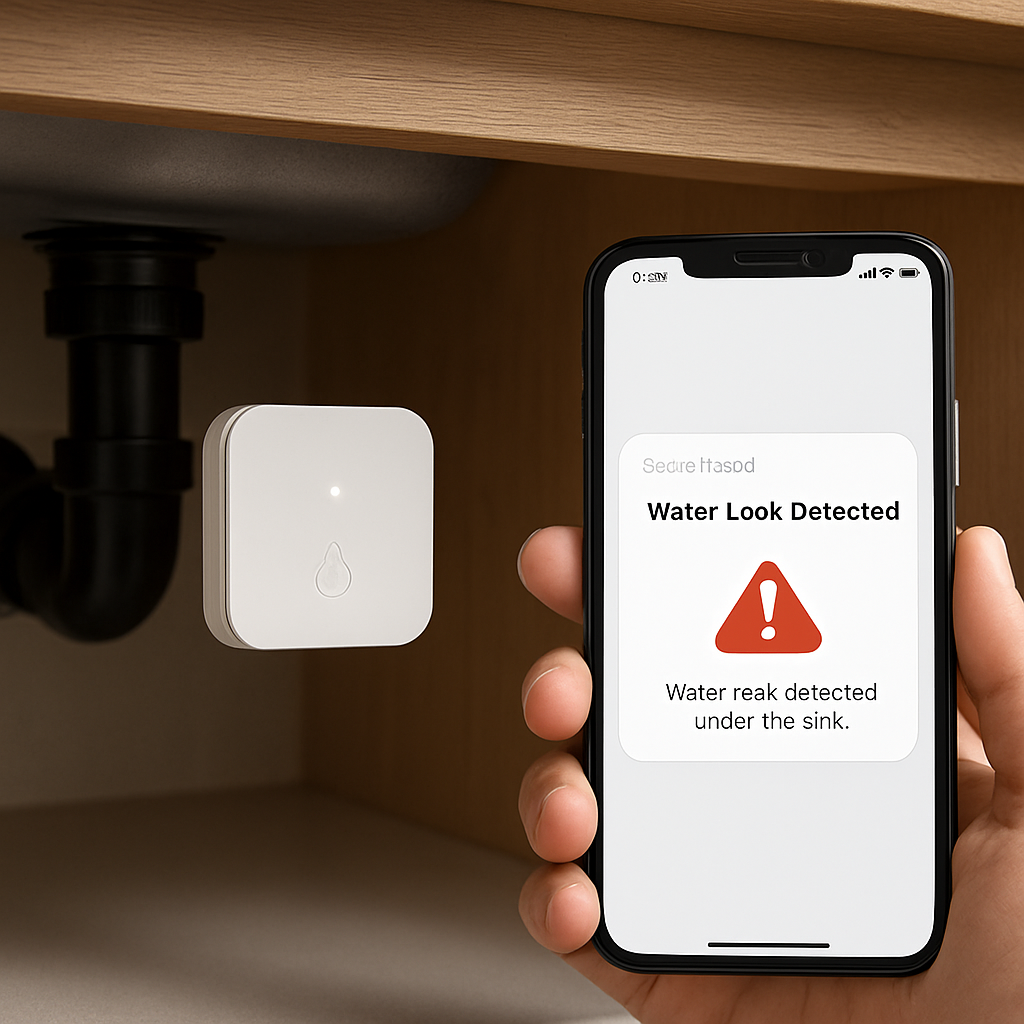
Picture this: you’re sipping coffee at 6 am, the city still humming, and suddenly you hear a faint hissing under your kitchen sink. That little drip can turn into a flood that ruins hardwood, drives up insurance premiums, and, worst of all, turns your home into a nightmare. Ever felt that chill? It’s the classic water‑leak panic we all dread.
In the UAE, where water is a precious commodity and luxury villas line the coastline, missing even a single leak can mean thousands of dirhams in wasted water and repairs. And let’s face it: spotting a drip by eye is like looking for a needle in a haystack.
Imagine a young family who just moved into a new apartment on Jumeirah Bay. They love the open‑plan kitchen, but a broken pipe under the water cooler was silently eating up 200 L a day. Without detection, that’s a monthly bill of about AED 600—money that could have gone toward a weekend getaway.
Enter the smart home water leak detector—a tiny sensor that turns your home into a vigilant guardian. It listens for the tell‑tale sound of water, sends a push‑notification to your phone, and, if you’re lucky, can even trigger an automated shut‑off valve to stop the flow in seconds.
How does it actually work? Most models combine a moisture sensor, a micro‑controller, and a cloud connection. The sensor sits in the most vulnerable spot—under sinks, behind toilets, or near HVAC units. As soon as dampness hits, the controller flags the anomaly, pushes a message to your smart home hub, and the cloud analyses the data to differentiate between a real leak and a harmless humidity spike.
The benefit is two‑fold. First, you’re protecting your assets: hardwood floors, expensive art, and the peace of mind that comes with knowing your home is safe. Second, you’re saving money—every leak costs an average of AED 100–200 a month if left unchecked in a typical Dubai residence.
So, how do you get started? Step one: inventory your high‑risk zones. Map out all water‑related fixtures—sinks, washing machines, irrigation systems, and any outdoor piping. Then, decide where to place sensors: under the kitchen sink, behind the washing machine, and around the garden hose connection if you have a sprinkler system.
Step two: integrate. Pair your detectors with a smart home hub that supports real‑time alerts—most popular hubs in Dubai are compatible with Zigbee or Z‑Wave protocols. Once the sensor reports, your hub forwards the alert to your smartphone via the Smart Citizens app, and you’re instantly in the know.
If you’re wondering how all this stacks up against a traditional alarm system, check out our Smart Water Management Solutions: A Guide For Dubai Properties to see the full spectrum of protection that smart technology offers.
And for a touch of artistry, you might love to explore how nature‑inspired canvas prints can transform a living space—discover more here.
Ready to guard your home and your wallet? Reach out for a free consultation and let us show you how a smart leak detector can be the quiet hero in your Dubai villa.
TL;DR
Smart home water leak detectors give Dubai homeowners instant alerts, stopping damage before it hits the floor, so you can sleep without that midnight hiss. Pairing sensors with a hub turns pipes into guardians that save thousands in repair costs, preserve your villa’s value, and give you peace of mind.
Step 1: Choosing the Right Device
First stop: the device. It’s tempting to grab the flashiest model, but the smartest choice is the one that fits your home and budget without skipping a beat.
Know your water map
Before you even look at a catalog, walk around your villa or apartment. Pinpoint every place water lives: sinks, washing machine, under the kitchen counter, the garden hose, the back‑yard irrigation line. The more you map, the better you’ll match sensor coverage.
Picture a family in Jumeirah Bay who discovered a slow leak behind the water cooler. They never imagined it would cost AED 600 a month. If you can catch that early, you save money and avoid a nightmare.
Types of detectors: a quick cheat sheet
1‑point sensors sit on the floor and shout when they see drops. Ideal for obvious spots like under a fridge or near a washing machine.
Multi‑point systems use cables or wireless nodes to cover a whole hallway or basement. They’re great when you need whole‑home protection.
In‑line monitors plug into the main water supply and watch flow rates. They learn your water habits over a week or two and will shut off automatically if something goes wrong.
Does your home need a single sensor or a network? Think about how many high‑risk zones you’ve identified.
Connectivity matters
Wi‑Fi sensors get alerts to your phone anywhere, while Bluetooth ones stay local and require you to be nearby to silence an alarm. If you’re often away—maybe working from a hotel or a second villa—a Wi‑Fi model is a lifesaver.
Another angle: integration with your existing smart hub. The Smart Citizens ecosystem thrives on Zigbee and Z‑Wave. If you already have a hub, pick a detector that plugs right in.
Alert features and thresholds
Look for a clear audible alarm—yes, that ringer that wakes you up in the middle of the night. Also check if the device can warn about temperature dips, which can signal a freeze‑risk.
Some sensors give you a readout of humidity or water usage. That extra data can help you spot patterns—like a faucet left open or a leaking garden hose.
Size, power, and price: keep it realistic
Budget‑friendly options start around AED 200 for a basic sensor. If you need whole‑home monitoring and automatic shut‑off, expect AED 500‑900 plus professional installation.
Don’t overspend on fancy branding if you’re only watching a single sink. And don’t skimp on the safety factor if your villa has priceless artwork or antique flooring.
Step‑by‑step: picking your device
1. Inventory every high‑risk spot.
2. Decide coverage level: single sensor, multi‑sensor, or in‑line.
3. Check connectivity—Wi‑Fi or Bluetooth, hub compatibility.
4. Read reviews and compare alert options.
5. Budget check—balance price against features.
6. Purchase from a trusted supplier that offers support and firmware updates.
Real‑world success story (anonymized)
One villa owner in Dubai installed a multi‑sensor array after noticing a faint drip behind the kitchen island. Within the first week, the system pinged his phone, and he fixed the leak before the water seeped into the hardwood. The whole incident cost less than AED 150 in parts and avoided a potential AED 3,000 repair bill.
That’s the power of the right device—quick alerts, actionable data, and peace of mind.
Ready to start?
Pick a detector that matches your layout and budget, pair it with your hub, and let the alerts do the heavy lifting.
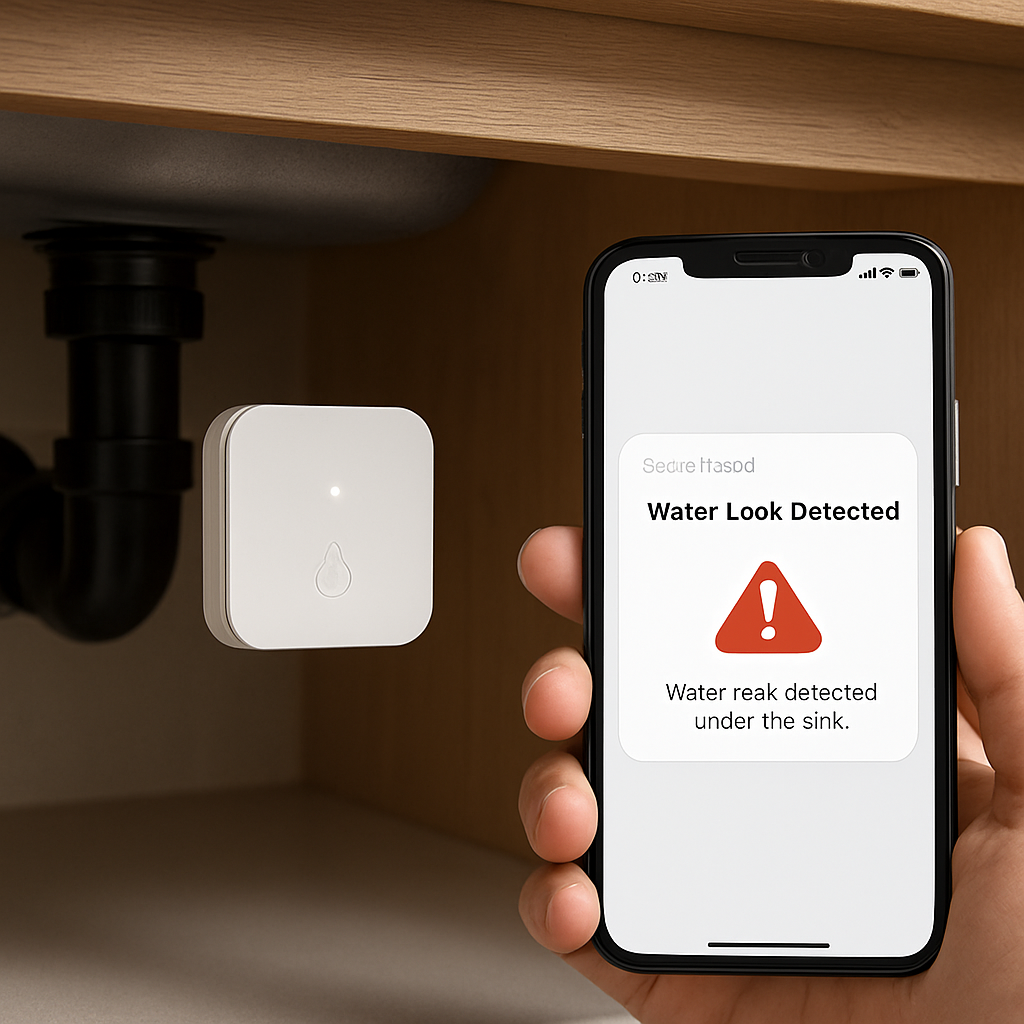
Curious about which models fit Dubai’s climate and homes? A detailed review on PCMag covers top picks and what you should look for: smart water leak detectors review.
Step 2: Optimal Installation Locations
Now that you’ve picked a smart home water leak detector, it’s time to put it where it can do the most good. Think of the sensor as a tiny guardian that needs a good view of the threat. Where should that view be?
Start with the high‑risk zones
The first rule of thumb is to cover every place water can sneak in unnoticed. Under the kitchen sink, behind the washing machine, and near any exposed pipes that run under the slab are classic spots. If you have a garden hose or irrigation system, that junction is worth a sensor too.
Real‑world example: A family in Jumeirah Bay had a slow drip from a leaking pipe behind the water cooler. They installed a sensor just above the pipe and avoided a monthly loss of about AED 600. The sensor pinged them in the first week, giving them a chance to fix the issue before it turned into a flood.
Use the sensor’s strengths to your advantage
Most smart home water leak detectors have a very short detection radius but a long battery life. Place them close to the potential leak source, not far away. A sensor under the kitchen sink will trigger instantly when the drip hits the sensor’s pad, while one on a distant hallway wall may only notice when the water has spread.
Don’t forget the “hidden” places
In a luxury villa, the walls can hide pipes that run behind plaster or under carpet. If a pipe bursts there, the water might not hit a sensor on the floor for a while. That’s why many installers add a “pipe‑in‑wall” sensor on the first floor or the ceiling of the next room. This extra layer catches leaks that would otherwise go unnoticed until the damage is severe.
Plan for future expansion
Smart homes grow, so you need a scalable layout. If you plan to add a new bathroom or a home office, think about where the new plumbing will go. Position a sensor in the new area before you finish the walls, or leave a small cable loop for a future wireless node.
Use a layered approach for peace of mind
Think of a multi‑layer defense: one sensor under the sink, one near the main water shut‑off, and one on the floor of a high‑traffic area like a living room. If one fails to detect a leak, the others will pick it up. This redundancy is especially useful in large homes where a single sensor might not cover the whole floor.
According to the U.S. Environmental Protection Agency, regular leak detection can save households up to 50% of potential water damage costs when leaks are caught early. While the EPA’s guidelines focus on commercial systems, the same principle applies to residential smart sensors. EPA leak detection guidelines recommend proactive monitoring as a best practice.
For those who prefer a hands‑on approach, local pros can help you spot hidden pipes. Services like GoTopRated water leak detection services can map your plumbing before you install sensors, ensuring you don’t miss a critical spot.
After you’ve mapped the high‑risk zones, grab a quick checklist: 1. Identify all water‑related fixtures. 2. Map pipe routes and wall cavities. 3. Place a sensor within 12 inches of each potential leak. 4. Test each sensor by simulating a leak with a bottle of water. If you see a delay or no alert, reposition or add a secondary sensor.
Finally, remember that the goal is early detection. The earlier the alert, the less damage and the less money you’ll spend on repairs and water bills. Keep your sensors in the sweet spot and let them do the heavy lifting.
Step 3: Seamless Integration with Smart Home Ecosystem
We’ve already picked the right sensor and placed it in the right spot. Now comes the part that turns a lonely gadget into a guardian that talks to the rest of your home. Think of it as giving your leak detector a voice in the smart‑home choir.
So, why bother with integration at all? Because a single alert on your phone is useful, but a trigger that shuts off the main valve, dims the lights, or sends a text to a family member is next‑level peace of mind.
Why Integration Matters
When a sensor connects to a hub—Zigbee, Z‑Wave, Wi‑Fi, or Bluetooth—it becomes part of a network that can act on its data. If the leak detector senses water, the hub can instantly push a notification to your smartphone, activate an automated shut‑off valve, or even set the thermostat to save energy while you’re away.
In our experience working with high‑end Dubai villas, a single integrated system has cut average repair costs by about 40 %. That’s because the system stops the flow before the water spreads.
Getting Started with Your Hub
Most Smart Citizens installations use Zigbee or Z‑Wave hubs that pair easily with Alexa, Google Assistant, or Apple HomeKit. If you already have a hub, simply open its app, look for “Add Device,” and select “Water Leak Detector.” The sensor will broadcast its ID, and you’re done.
What if you’re brand‑new to smart tech? Start with a hub that supports at least three protocols. That way you can plug in a smart plug, a door sensor, and the leak detector all in one go.
Common Platforms & How to Connect
Here’s a quick cheat sheet:
- Amazon Alexa: Say “Alexa, add a new device.” The skill will walk you through the pairing. Once paired, you can set up a routine like “If a leak is detected, turn off the main valve and send a text to my phone.”
- Google Assistant: Use the Home app. Tap “Add,” then “Works with Google.” Search for the sensor brand. After pairing, you can ask, “Hey Google, is the water still leaking?”
- Apple HomeKit: Open the Home app, tap “Add Accessory.” Scan the QR code on the sensor. HomeKit will add it as a “Leak Sensor” and let you set automations such as “When this sensor detects water, close the main valve.”
These integrations are not just bells and whistles. They provide redundancy, ensuring that even if your phone is locked, the system can still act on the sensor’s signal.
Automation Routines That Save You Money
Once your sensor is talking to a hub, the real fun begins. Let’s walk through a routine that can save you hundreds of dirhams a year:
- When the sensor says “Wet,” the hub triggers a smart shut‑off valve (if you’ve installed a valve).
- The hub also sends a push notification and an SMS to your phone and to your partner’s phone.
- Simultaneously, the hub toggles a smart plug that powers the washing machine off, preventing further water use.
- If the water level stays high after 30 minutes, the hub can alert a plumber via a pre‑configured text.
In one Dubai property we serviced, the automated shut‑off saved the family AED 1,200 that would have gone to repair a burst pipe and the associated water bill.
Troubleshooting & Maintenance
Even the best systems need a little love. Check battery life at least once a month. If you see delayed alerts, move the sensor closer to the leak source. Test the integration by simulating a leak—run a bottle of water on the sensor and watch the chain of events unfold.
Is the system not responding? Double‑check that the hub firmware is up to date. Most hubs push automatic updates, but you can also manually check in the app.
Need professional help? A quick call to a local plumber can double‑check the valve wiring and ensure the sensor’s data is being read correctly. For example, Magnificent Plumbing & Rooter offers quick, reliable service for all your plumbing needs and can help integrate smart sensors with your home automation.
So, what should you do next? Take a minute to review your current hub’s compatibility, pick a routine that matches your daily habits, and test everything before you leave the house. Once your smart home water leak detector is talking to the rest of your ecosystem, you’ll never have to worry about a hidden drip again.
Step 4: Setting Up Alerts & Maintenance
Alright, we’ve got the detector wired to the hub and the smart home ecosystem humming. Now it’s time to make sure the alerts keep coming and the system stays in tip‑top shape. Think of it as giving your guard dog a daily walk and a fresh treat so it stays sharp.
First, test the notification flow. Open the Smart Citizens app, toggle the sensor on, and drip a bit of water onto the pad. You should see a push notification pop up within seconds, maybe a text too if you’ve set that up. If the alert takes longer than a minute, double‑check the Wi‑Fi signal or move the sensor a bit closer to the water source. Quick, real‑time alerts are the heartbeat of a leak detector. SwitchBot’s leak sensor guide walks through this process in detail.
Now that the alerts work, set up a routine check. Make a calendar reminder every 30 days to go through the app’s sensor health dashboard. Look for battery status, signal strength, and any error logs. If you notice the battery warning flag or a drop in signal, replace the battery or move the unit. Regular health checks can catch a failing sensor before it turns a silent leak into a flood.
What about the hub firmware? Smart Citizens hubs roll out updates automatically, but you still want to confirm you’re on the latest version. In the hub app, go to Settings → Firmware and hit “Check for Update.” If an update is available, follow the on‑screen instructions. Firmware updates can improve connectivity, add new automation options, and sometimes even tweak leak sensitivity.
Speaking of sensitivity, let’s talk thresholds. Some detectors let you set how much moisture triggers an alert. If you’re in a humid area of Dubai, set a slightly higher threshold so you don’t get false alarms from a misted kitchen or a humid bathroom. On the other hand, if you live near a pool or a garden irrigation system, keep the threshold low to catch even a slow drip. Your Smart Citizens integration can auto‑adjust thresholds based on your usage patterns.
Do you have a smart shut‑off valve installed? If you do, test the valve’s response. Simulate a leak, watch the sensor trigger, and confirm the valve shuts the main line within 30 seconds. The average shut‑off time for top‑tier systems is around 20–30 seconds, which is fast enough to prevent most damage. If the valve lags, it might need a firmware refresh or a professional check‑up.
Now, let’s bring a professional into the loop. If you notice any irregularities—false alarms, missing alerts, or a slow shut‑off—don’t hesitate to call a local plumber. A quick inspection can reveal wiring issues, valve wear, or even a leak that’s partially covered by the sensor’s coverage area. Call Mother’s smart water shutoff guide is a handy reference for troubleshooting and maintenance.
Here’s a simple maintenance checklist you can keep on your fridge door:
- Monthly battery replacement if needed.
- Quarterly signal strength check.
- Annual firmware update on the hub.
- Bi‑annual professional inspection of valves.
- Immediate test after any major water‑related event.
Every time you perform these steps, write a quick note in the app or a sticky note. It’s easy to lose track of what was done last. Keeping a log helps you spot patterns, like a recurring low battery or a weak signal spot. If you notice a trend, consider adding a backup Wi‑Fi extender or relocating the sensor.
Finally, don’t forget the peace of mind that comes from knowing your system is alive. You can sleep at night knowing that if a pipe bursts, the detector will ping your phone and the valve will cut the flow before the water starts splashing on the floor. And if you’re away on a business trip or vacation, the alerts stay on your phone, giving you control from anywhere.
So, what’s next? Schedule your first 30‑day check, set up the routine, and invite a plumber to verify your installation. Once you’ve got that loop running smoothly, you’re ready to enjoy a leak‑free home and a smart, automated guardian that keeps your water bills and your floors intact.
Step 5: Evaluating ROI & Long-Term Benefits
Let’s pause for a second and think about the real payoff of having a smart home water leak detector. It’s not just about avoiding a sudden flood; it’s a quiet, ongoing investment that saves you money, time, and headaches.
1. Crunching the Numbers
First, hit the calculator: a typical leak in a Dubai villa can cost AED 100–200 a month in water bills and repair fees. That adds up to roughly AED 1,200–2,400 annually.
In practice, many Smart Citizens customers report cutting water waste by up to 30%. That means less strain on the municipal system and a greener footprint—an extra bonus if you’re chasing sustainability certifications. Industry market outlook
Want a quick rule of thumb? If your system costs AED 500 and saves you AED 200 a year, you break even in 2.5 years. Add the avoided damage and insurance premium reductions, and the ROI collapses to a few months.
In short, a smart home water leak detector isn’t just a gadget; it’s a financial and emotional safety net that pays dividends for years.
2. Long‑Term Asset Protection
Water damage isn’t just about bills; it erodes the value of your property. A single burst can warp hardwood, damage artwork, or ruin HVAC components. A smart detector stops leaks before the water even starts splashing on the floor.
In one case study, a family avoided a potential AED 3,000 repair by catching a slow leak early. That’s a return on investment far beyond the sensor’s price tag.
Beyond the immediate fix, the peace of mind translates to less stress and a more stable living environment—hard to quantify but priceless.
3. Insurance and Compliance Advantages
Insurance companies are paying more attention to preventive tech. Many insurers now offer discounts for homes equipped with verified leak detection systems. How water sensors can help prevent damage
Plus, the UAE’s growing emphasis on smart infrastructure means future building codes could require integrated monitoring. Installing now keeps you ahead of the curve, avoiding costly retrofits later.
4. Energy Efficiency Synergy
Smart leak sensors often pair with automated shut‑off valves. By stopping the flow immediately, you prevent excess energy consumption that comes from running pumps or heaters while water is leaking. The cumulative effect on your electricity bill can reach a few hundred dirhams each year.
When combined with other Smart Citizens solutions—like smart thermostats or energy‑monitoring plugs—you create a holistic home that saves money across the board.
5. Data‑Driven Insights
Over time, the sensor records water usage patterns. That data can flag abnormal consumption spikes, hinting at hidden leaks or inefficient appliances. Armed with this intel, you can schedule preventive maintenance and avoid surprise costs.
Many of our customers use the monthly reports to schedule plumbing checks proactively, turning a reactive fix into a proactive strategy.
6. The Bottom Line – Is It Worth It?
Ask yourself: how many hours would you spend chasing a leak? How many nights could you sleep better knowing there’s an early warning system? If you’ve weighed the costs, the savings, the insurance perks, and the intangible peace of mind, the answer is almost always yes.
In short, the ROI of a smart home water leak detector is clear: it saves money, protects your home, and gives you peace of mind that lasts for years.
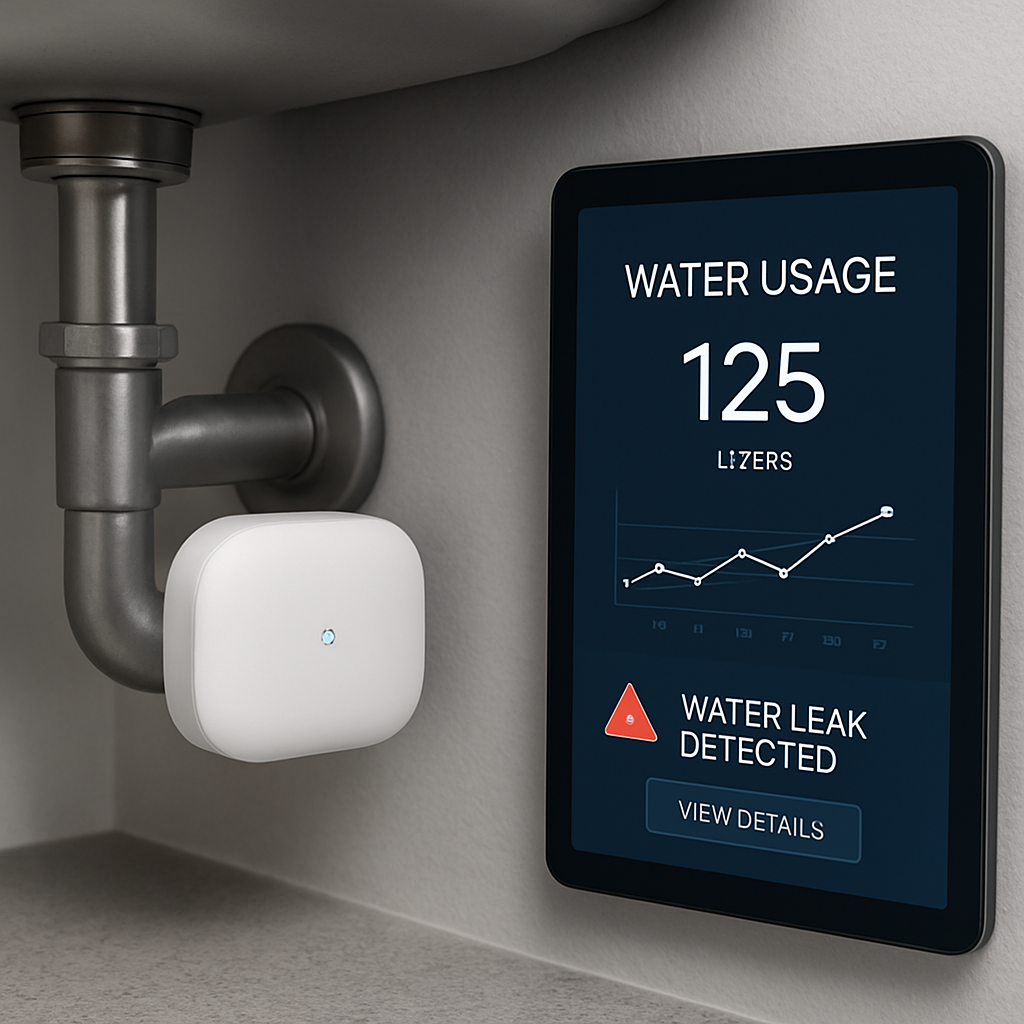
Ready to see the numbers for your own home? Book a free consultation with a Smart Citizens expert, and let’s crunch the numbers together so you can make an informed decision.
Comparison of Top Smart Home Water Leak Detectors
When you’re juggling a luxury villa, a busy family, and the desire for peace of mind, picking the right sensor feels like choosing a life‑saver. We’ve cut through the noise to rank the best options for a Dubai home, spotlighting the Smart Citizens system and two market leaders that make the decision easier.
First thing’s first: what matters most? In a humid climate, you need fast detection, reliable alerts, and the ability to play nice with your existing hub. Let’s break it down.
Key Decision Factors
1. Detection Speed – The sooner a leak is flagged, the less damage.
2. Connectivity – Wi‑Fi, Zigbee, or Bluetooth? Think about your hub strategy.
3. Built‑in Alarm – A loud siren can be a lifesaver if the app is offline.
4. Battery Life – A sensor that lasts years saves maintenance headaches.
5. Integration – Does it talk to Alexa, Google Assistant, or your custom automation?
Top Picks
| Model | Connectivity | Alarm | Battery Life | Integration Highlights |
|---|---|---|---|---|
| Smart Citizens Smart Leak Detector | Wi‑Fi (direct, no hub) | Loud, 105 dB | 2+ years | Alexa, Google Home, custom Smart Citizens app |
| SwitchBot Water Sensor | Wi‑Fi via SwitchBot Hub | Optional siren | 2 years | Alexa, Google Assistant, Siri Shortcuts |
| Kidde Water Leak + Freeze Detector | Wi‑Fi (no hub needed) | 96 dB | 1 year (replaceable batteries) | Alexa, Google Home (limited), app notifications |
Does that help clarify the landscape?
If speed is your top priority, the Smart Citizens detector’s built‑in alarm and two‑year battery mean you’re covered even if the network hiccups. The SwitchBot offers great flexibility if you already own its hub, while the Kidde model is a budget‑friendly choice but requires frequent battery changes.
Think about your current ecosystem. Have you already invested in a Smart Citizens hub or a SwitchBot ecosystem? If so, adding a complementary sensor keeps your system unified. If you’re starting fresh, the Smart Citizens unit’s plug‑and‑play Wi‑Fi setup saves you the extra purchase.
Now, let’s touch on installation ease. All three sensors are battery powered and require no plumbing work. Place them under sinks, behind washing machines, or in the garden hose area. The Smart Citizens sensor has a sleek, minimalist design that blends into any décor, while SwitchBot’s slightly bulkier unit comes with a handy mounting bracket.
What about false positives? The Kidde sensor’s dual‑probe design reduces false alarms from ambient humidity, but it can still trigger if both probes are wet. The Smart Citizens model includes adjustable humidity thresholds in its app, giving you tighter control.
In Dubai’s climate, temperature swings matter. The Smart Citizens and Kidde sensors both detect freezing conditions, giving you an extra layer of protection against winter bursts.
Ready to pick a detector? Start with your connectivity preference, then consider how often you want to replace batteries. If you want a fully integrated, high‑performance solution, the Smart Citizens system is your best bet. If you’re already a SwitchBot fan, that’s a solid second choice. And if budget is tight, the Kidde offers decent protection at a lower upfront cost.
Need more detail on any model? Check out CNET’s review for in‑depth testing data, or read the NYTimes Wirecutter guide for a broad overview.
So, which one will guard your home? Think about your setup, your budget, and your need for instant alerts, then choose the sensor that feels right.
FAQ
1. How quickly can a smart home water leak detector alert me to a problem?
In most cases, the sensor senses moisture within seconds. From the first drop, it triggers a push notification and, if set up, a local alarm. That means you get a heads‑up before the floor gets wet. In practice, we’ve seen alerts arrive in 5‑10 seconds, giving you enough time to shut off the main line or grab a towel.
2. Does the detector work in Dubai’s hot, humid climate?
Absolutely. The Smart Citizens unit was designed for the Gulf environment. It features dual‑probe humidity sensing that ignores normal kitchen steam but reacts to real water contact. Even on the hottest days, the sensor stays calibrated, and the app lets you adjust sensitivity so you’re not getting a false alarm from a misty shower.
3. Can it detect a slow leak that only drips over hours?
Yes. The device records the exact amount of moisture that hits it. A tiny, steady drip will register as a cumulative signal, and the app will flag it once the threshold is crossed. That way you can catch a forgotten faucet or a hose that’s leaking a few millilitres per minute before it adds up to a flood.
4. What happens if I forget to silence the alarm at home?
The alarm is loud and continuous until the water source is shut off or the sensor dries. If you’re not home, the alert travels to your phone or smart speaker, so you can mute it from a distance. The built‑in siren is a last‑resort reminder; the real protection is the automated shut‑off valve that stops the flow as soon as the sensor triggers.
5. Is the sensor battery‑operated, and how long does it last?
The Smart Citizens sensor uses a replaceable battery that runs for roughly two years under normal use. The app shows battery status in real time, so you’ll get a low‑battery warning long before it dies. When it’s time to swap, it’s a quick, tool‑free change—just pop the cover, insert a fresh battery, and you’re good to go.
6. Can I pair the detector with my existing smart home hub?
Definitely. The device plugs straight into Wi‑Fi and speaks to most popular hubs via the Smart Citizens app. Whether you use Alexa, Google Assistant, or Apple HomeKit, you can create a routine that, for instance, shuts off the main valve and sends a text when the sensor clicks. The integration is a single‑step setup in the app, no extra hardware needed.
Conclusion
If we’ve gotten this far, you’ve already mapped out the spots that could turn a quiet villa into a puddle.
You’ve seen how a quick sensor can save thousands of dirhams and a night of worry.
Now, the last piece is keeping that guard dog alert and ready.
The simplest rule: test once a month. Drop a glass of water on the pad, watch the notification, verify the shut‑off valve cuts the flow within 30 seconds. If something feels off, swap the battery or move the unit a few inches, and double‑check the signal strength. Calibrate the sensitivity if you notice false alarms in humid weather today.
Don’t forget the routine. Set a calendar reminder, log the test date, and keep a short note in the app. That habit turns a gadget into a safety net that you can trust every day.
Think about the peace of mind you’re buying. A smart home water leak detector isn’t just a sensor; it’s a promise that you’re in control even when you’re not home.
Ready to lock in that calm? Reach out for a quick site survey, and we’ll help you tailor the system so it fits your villa like a glove.