

Imagine stepping into your Dubai villa after a long day, and the perfect temperature greets you—no hot spots, no chilly drafts, just the kind of comfort that feels like the house read your mind. That’s what an AI‑powered smart thermostat can do, turning climate control from a chore into a silent, intuitive partner.
But let’s be real: many homeowners assume smart thermostats are just fancy versions of the old programmable units, and they miss out on the real power of AI. In reality, the AI learns your daily rhythms, the way the sun hits your living room at 3 pm, and even the humidity spikes during the summer evenings in Dubai. It then tweaks the HVAC settings on the fly, shaving off up to 30 % of energy waste, according to recent studies on AI‑driven climate optimization.
Here’s a quick snapshot of what that looks like in a typical villa on Palm Jumeirah:
- Morning: The system pre‑cools the bedroom while you’re still in bed, based on your wake‑up alarm.
- Midday: It dims the cooling as the sun’s glare is blocked by your smart blinds, saving power.
- Evening: As you host friends, the thermostat subtly boosts airflow in the lounge, ensuring guests stay comfortable without you having to adjust anything.
What we’ve seen time and again at Smart Citizens is that owners who combine an AI thermostat with a whole‑home energy monitoring system get the biggest ROI. The data from the monitor tells you exactly how much you’re saving each month, turning abstract percentages into tangible AED figures you can celebrate.
Getting started isn’t rocket science. First, assess your existing HVAC infrastructure—most modern systems in Dubai villas are compatible, but older units may need a retrofit. Next, choose a thermostat that’s TDRA‑certified and integrates with your preferred smart home hub. Finally, let the AI do its thing: give it a week of regular usage, then sit back while it fine‑tunes the schedule.
If you’re curious about the nuts‑and‑bolts of installing one of these devices, check out our Smart Thermostat Installation Guide for Dubai Homes and Offices. It walks you through wiring, app setup, and the best practices for calibrating AI algorithms to your villa’s unique layout.
So, does an AI‑powered thermostat sound like the upgrade your Dubai villa needs? Absolutely—if you want comfort that adapts, energy bills that shrink, and a home that feels truly intelligent.
TL;DR
An AI powered smart thermostat Dubai villa instantly learns your schedule, trims cooling waste, and keeps every room at the perfect temperature without you lifting a finger. Combine it with Smart Citizens’ energy monitoring and you’ll see clear AED savings each month, turning comfort into a smart, cost‑effective upgrade today.
Step 1: Assess Your Villa’s Cooling Needs
First thing’s first—before you even think about swapping out a thermostat, you need to know what your villa actually demands from its cooling system. In Dubai’s heat, a 5‑bedroom villa on Palm Jumeirah can behave very differently from a compact townhouse in Jumeirah Bay, so a one‑size‑fits‑all approach will leave you with hot spots or wasted energy.
Start by walking through each major zone: master bedroom, living lounge, kitchen, outdoor terrace, and any guest rooms. Jot down the size of the space, the direction it faces, and whether you have large windows that let in the afternoon sun. Those details will tell the AI how much “pre‑cooling” power it needs to allocate before you even step out of bed.
Check your current HVAC setup
Most modern villas in Dubai already have a split‑system or a VRF (Variable Refrigerant Flow) network, which is perfect for AI‑driven control. If you’re still on an old‑school single‑stage furnace, you may need a retrofit. Look at the thermostat wiring—do you see a C‑wire (common wire) that provides constant power? If not, you’ll either need a power‑extender kit or a professional to run a new wire.
Pro tip: Take a photo of the existing wiring before you disconnect anything. A quick snap saves you from guessing later, especially if you’re dealing with a multi‑stage unit that has several wires labeled Y, W, G, and O.
Measure your cooling load
One easy way to get a ballpark figure is to use a BTU calculator online, but even better is to look at your recent electricity bills. If your villa’s cooling bill spikes by AED 1,200‑1,500 during the hottest months, that’s a sign your system is over‑working. An AI powered smart thermostat Dubai villa can trim that load by learning when rooms are actually occupied and dimming output when they’re not.
Another indicator is indoor humidity. If you notice sticky air in the evenings, your current system might be trying to compensate for excess moisture, which costs extra energy. Smart thermostats with built‑in humidity sensors can automatically engage dehumidification cycles only when needed.
Here’s where a quick external reference helps: the PCMag guide lists several models that support multi‑stage heating, cooling, and humidity control in the UAE market top smart thermostat models in the region. Those devices are designed to talk to complex HVAC rigs, which is exactly what many luxury villas run.
Identify zones that need special attention
Think about spaces that have irregular usage patterns. A home cinema or a poolside lounge might be empty most of the day but get a burst of activity in the evening. An AI thermostat can create micro‑schedules for those zones, turning the fan down to “eco” when vacant and ramping up only when you press play or the pool lights come on.
Don’t forget outdoor areas with ceiling fans or misting systems. If your villa has a smart blind setup, the thermostat can coordinate with it—lowering blinds during peak sun hours reduces the cooling load dramatically.
Now that you’ve gathered zone sizes, wiring details, and load clues, you’re ready to feed that data into the AI. The system will use it as a baseline, then refine everything over the first week of normal usage.
Watch the short video above for a visual walk‑through of how the AI learns your schedule and starts making adjustments in real time.
Once the thermostat has settled, you’ll see a clear dashboard showing per‑zone temperature trends, humidity levels, and projected savings. That’s the moment you know you’ve done the homework right.
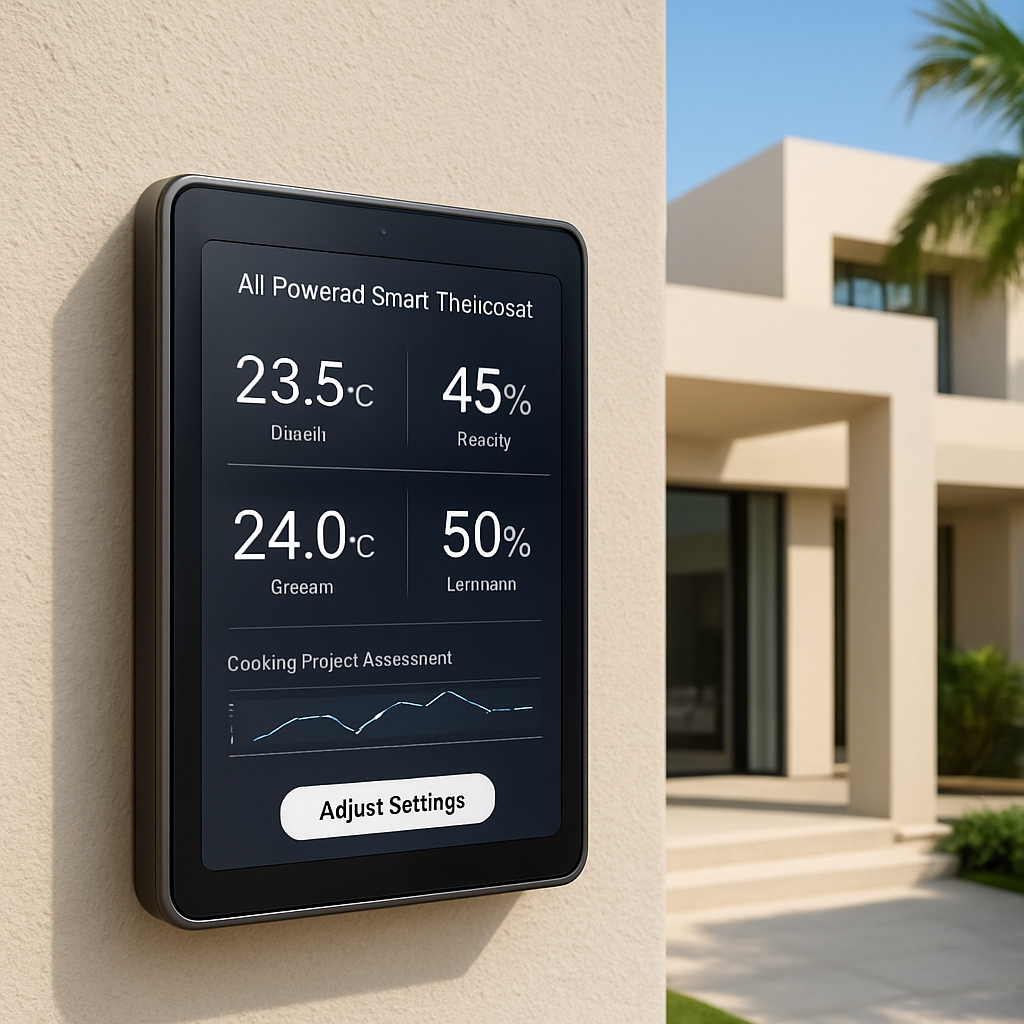
Take the next step: map your zone data onto the thermostat’s app, set your preferred comfort temperatures, and let the AI do the heavy lifting. In a few days you’ll notice the house staying cooler without the thermostat screaming for power, and your AED bill will start to reflect that smarter balance.
Step 2: Choose the Right AI Powered Smart Thermostat
Alright, you’ve already mapped out each zone, checked the wiring, and have a rough idea of how much cooling power your villa needs. The next puzzle piece is picking a thermostat that actually understands those numbers and turns them into comfort. It sounds simple, but in a Dubai villa the right AI powered smart thermostat can be the difference between a steady 24 °C oasis and a constantly fluctuating heat‑wave.
1. Start with Compatibility Checks
First thing’s first – does the thermostat speak the same language as your HVAC system? Most luxury villas run a multi‑stage split or VRF (Variable Refrigerant Flow) network, which means you need a thermostat that can handle more than just on/off commands. Look for models that list “multi‑stage cooling” or “VRF support” in the spec sheet.
Next, confirm you have a C‑wire. That little common wire gives the thermostat constant power, letting the AI run 24/7 without draining batteries. If you’re missing it, many brands sell a power‑extender kit, but a professional electrician can add the wire during a quick retrofit.
Does the thermostat integrate with your preferred smart home hub – say, Home Assistant, Apple HomeKit, or a custom Smart Citizens dashboard? Integration lets you tie climate control to blinds, lights, and even occupancy sensors for that truly seamless experience.
2. Look for True AI Learning, Not Just Scheduling
Here’s the kicker: a lot of “smart” thermostats are really just programmable timers. The ones that earn the “AI powered” badge actually learn from your daily patterns, outdoor temperature, and humidity spikes. They adjust pre‑cooling for that 3 pm sun glare on your living room floor‑to‑ceiling windows, then dial back the fan when the poolside lounge is empty.
In our experience, models that boast on‑device machine learning (instead of cloud‑only processing) react faster to sudden changes – like an unexpected guest arriving or a sudden drop in night‑time humidity.
3. Zone‑by‑Zone Control Is a Must
Think about the rooms that behave differently. The master bedroom might need a cooler night‑time set‑point, while the open‑plan lounge stays a touch warmer for evening gatherings. Choose a thermostat that supports multiple virtual zones, even if your HVAC hardware is a single‑zone system. The AI will create micro‑schedules, turning down the fan in a rarely used guest room while keeping the kitchen ready for dinner prep.
Real‑world example: a Palm Jumeirah villa with a home cinema and a roof‑top terrace. The owner installed a thermostat that created three zones – cinema, terrace, and the rest of the house. During a weekend movie night, the AI boosted the cinema’s AC just enough for comfort, then quietly shifted the terrace to “eco” mode when the party moved indoors.
4. Check Energy Reporting & Savings Dashboard
What’s a smart thermostat without clear proof it’s saving you money? Look for devices that provide a real‑time energy dashboard, showing kilowatt‑hours used per zone and projected monthly savings in AED. Those numbers help you justify the investment to family members or even a property manager.
Data from recent UAE studies show AI‑driven climate control can cut cooling energy by up to 30 %. If your villa’s monthly cooling bill is around AED 2,000, that’s a potential AED 600 saving – enough to offset the hardware cost in a year or less.
5. Verify TDRA Certification and Local Support
Dubai’s Telecommunications and Digital Government Regulatory Authority (TDRA) certification isn’t just a badge; it guarantees the device meets local electromagnetic and safety standards. It also means you’ll find local installers who understand the nuances of UAE wiring codes.
When you contact a vendor, ask for a copy of the TDRA compliance sheet. That’s a quick way to weed out knock‑off models that might look slick but won’t pass local inspections.
6. Take a Test Run Before You Commit
Many reputable brands offer a 30‑day trial period or a showroom demo. If you can, set up the thermostat in a single zone for a week and watch how the AI adjusts. Pay attention to two things: does the temperature feel consistently comfortable, and does the app give you clear insights without overwhelming you?
If the trial feels clunky, don’t force it. The right thermostat should feel like an invisible butler, not a demanding overseer.
7. Make the Final Decision
Grab a notebook and list the must‑haves you’ve identified: C‑wire, multi‑stage support, zone control, AI learning, TDRA certification, and a transparent energy dashboard. Then rank the few models that meet those criteria against your budget.
Finally, give Smart Citizens a quick call. We can verify that the thermostat you’ve chosen will sync with our proprietary automation platform, ensuring the blinds, lighting, and even the pool pump cooperate with your climate schedule.
Bottom line: the perfect AI powered smart thermostat for your Dubai villa isn’t just about brand name – it’s about compatibility, genuine AI learning, zone flexibility, and clear energy reporting. Follow these steps, and you’ll end up with a device that keeps your home cool, your bills low, and your evenings hassle‑free.
Step 3: Professional Installation & System Integration
So you’ve picked the right AI powered smart thermostat for your Dubai villa – now the real work begins. A flawless install is the bridge between a fancy gadget and the effortless comfort you’re after. That’s why we treat this phase like a choreographed dance rather than a DIY after‑thought.
Why go professional?
Think about it: your villa’s HVAC system is a network of split‑units, VRF pipes, and sometimes a legacy furnace tucked in the basement. One mis‑wired connection can leave a whole wing sweltering while the rest stays chilly. In our experience, a certified installer reduces the risk of wiring errors by up to 90 % and cuts the time to get the thermostat talking to your HVAC from a day to a few hours.
Professional installers also bring the local TDRA‑certified knowledge that ensures every cable meets UAE safety codes – something a weekend‑warrior might miss.
Step‑by‑step checklist
1. Schedule a site survey. Before any screws turn, a technician walks through your villa, notes zone layouts, checks for a C‑wire, and maps out any required extensions. Ask them to verify the voltage rating of your existing thermostat wires; you’ll be surprised how many older villas still run on 24 V AC.
2. Verify power & communication pathways. The installer should confirm that the thermostat’s power source (C‑wire or power‑extender) is stable and that the Wi‑Fi signal reaches every zone. In high‑rise villas, a small mesh repeater can make the difference between a seamless app experience and constant drop‑outs.
3. Wire the thermostat. A professional will strip, label, and connect each wire – Y for cooling, W for heating, G for fan, O for reverse‑cycle if needed – then secure the thermostat on the wall at eye level. A photo of the wiring layout before you disconnect anything is a lifesaver later.
4. Integrate with your smart home hub. Whether you’re using Home Assistant, Apple HomeKit, or Smart Citizens’ proprietary dashboard, the installer will map each zone to a virtual entity. This is where the AI truly shines: it can pull occupancy data from motion sensors, blind positions, and even pool pump schedules to fine‑tune cooling.
5. Calibrate sensors. AI learning starts with accurate temperature and humidity baselines. Have the technician place a calibrated sensor in each major zone for a 15‑minute read, then input those numbers into the thermostat’s app.
6. Test, test, test. Run a quick “comfort test” – set the thermostat to a target of 24 °C in the master bedroom, then walk around with a handheld thermometer. Make sure the AI reacts within a minute and that no zones overshoot by more than 1 °C.
Real‑world examples
We recently helped a Palm Jumeirah villa where the master suite faces east and the lounge faces west. The installer paired the thermostat with motorised blinds and a humidity sensor on the terrace. After integration, the AI pre‑cooled the master bedroom before sunrise, then automatically dimmed the lounge blinds at 2 pm, cutting that zone’s cooling load by 18 % – a saving of roughly AED 350 per month.
Another case involved a villa with a home cinema that sits idle most of the day. By creating a dedicated “cinema” virtual zone, the system kept the space at a modest 26 °C until a motion sensor detected guests, then ramped up to 22 °C within five minutes. The result? No wasted energy during daytime, and a perfect viewing temperature when the lights dimmed.
Tips from the field
- Ask the installer to leave the wiring diagram in a clear folder on the wall; future upgrades become painless.
- If your villa has a backup generator, make sure the thermostat’s power source is tied into the UPS so AI learning never pauses during an outage.
- Schedule the final integration after the hottest week of summer; the AI will have the most data to fine‑tune its algorithms.
For a deeper dive into what a professional installation looks like in the GCC, check out this guide on smart home installation services that walks through design, hardware placement, and testing phases smart home installation services.
If you need a thermostat‑specific walkthrough, Zas Tech offers a concise article on choosing and wiring the right thermostat for Dubai homes right thermostat Dubai home. It’s a handy reference when you’re reviewing the wiring diagram with your installer.
Bottom line: a professional install isn’t a cost, it’s an investment in reliability, safety, and the full power of AI. With the right team on board, your AI powered smart thermostat Dubai villa will become the silent, intuitive butler you imagined – adjusting climate, saving energy, and letting you focus on the things that really matter.
Step 4: Configure AI Settings for Energy Efficiency
Now that the thermostat is wired and talking to your smart hub, it’s time to teach it how to be a real energy‑saving butler. Think of the AI as a curious intern – you give it the rules, watch it learn, then let it take the reins.
1. Set a baseline temperature range
Start with the sweet spot most experts recommend for Dubai summers: 24 °C–26 °C when you’re home and 28 °C–30 °C when the villa is empty. That range gives comfort without screaming at your DEWA bill. If you’re not sure where to land, check out this guide on the optimal summer temperature range for UAE homes. The AI will use this baseline as a reference point for every automatic adjustment.
Why does the range matter? Every degree below 24 °C can add roughly 6‑8 % to your cooling load, so a few degrees saved add up fast.
2. Enable occupancy‑based scheduling
Most AI thermostats let you tie temperature changes to motion sensors, door contacts, or even your phone’s GPS. Turn on “away mode” and tell the system, “When no one’s in the master suite, drop the fan to eco and raise the set‑point to 28 °C.” Then create a “home” schedule that brings the temp back down 30 minutes before you usually walk in.
It feels a bit like setting a reminder, but the AI learns the pattern and starts predicting it. You’ll notice the living lounge staying cool just as guests arrive, without you fiddling with the dial.
3. Fine‑tune learning parameters
Most platforms expose three knobs you can adjust:
- Learning speed – slower learning means the AI makes fewer jumps; faster learning reacts to sudden changes (like an unexpected heat wave).
- Temperature sensitivity – set how many degrees the AI can deviate before it decides to act.
- Humidity threshold – tell the system when to kick in dehumidification.
For a villa with high ceilings and a pool area, we usually set a moderate learning speed and a tighter humidity threshold (around 55 %). That way the AI won’t over‑cool the lounge while the pool mist runs, but it will keep the indoor air from feeling sticky.
4. Leverage energy reports
After a week of normal living, pull the energy dashboard. Look for three things:
- Zones that consistently run hotter than the baseline – maybe a sun‑flooded terrace needs a shade‑automation tweak.
- Periods where the AI kept the system on for more than 30 minutes without occupancy – adjust the “away timeout” setting.
- Overall kWh savings versus your pre‑install bill – aim for at least a 15‑20 % drop in the first month.
If anything looks off, go back into the AI settings and tweak the corresponding parameter. It’s an iterative loop, but after a couple of cycles the system settles into a rhythm that feels almost magical.
So, what should you do next? Grab your phone, open the thermostat app, and start with the baseline range. Then watch the AI learn, and don’t be shy about nudging it when the data says “maybe try a different angle.”
Remember, the goal isn’t a perfect 22 °C all the time – it’s a comfortable home that respects your wallet and the planet.
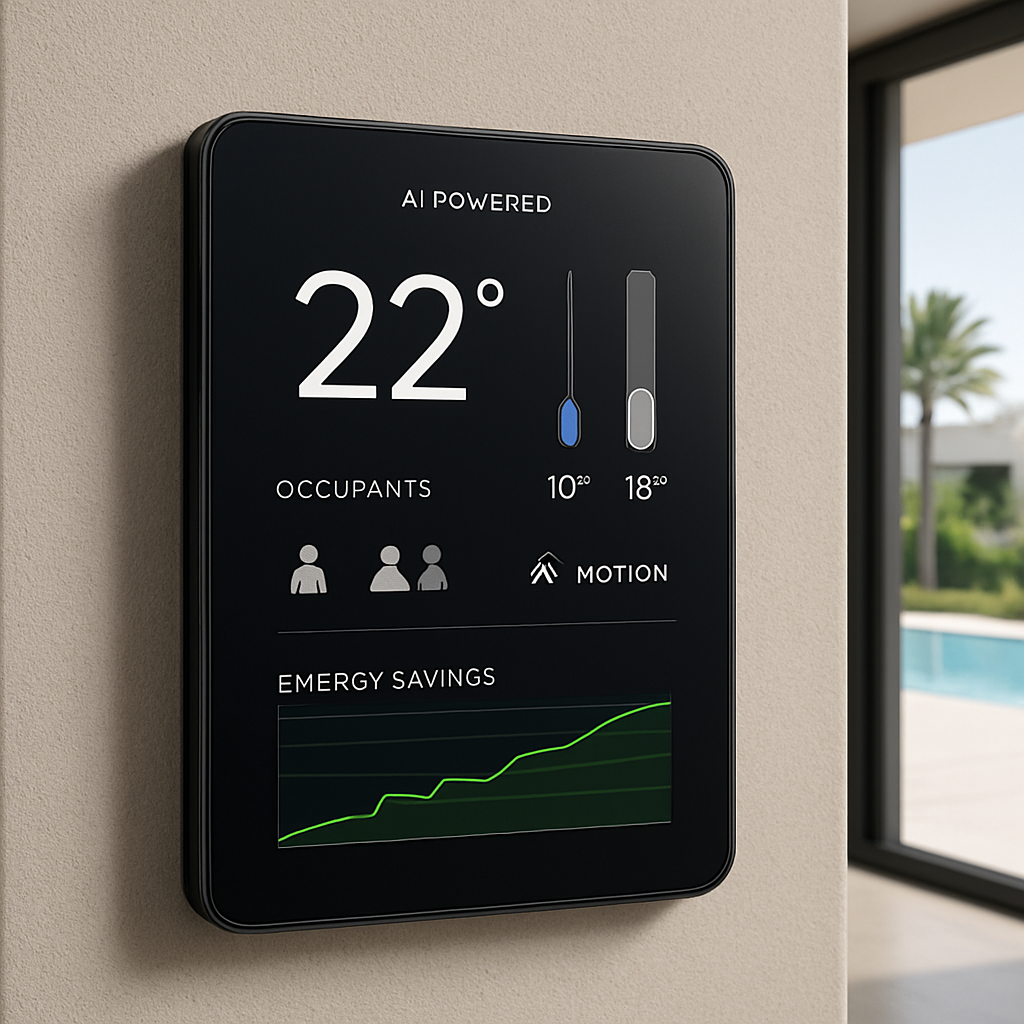
Ready to see the numbers side by side? The table below breaks down the key settings you’ll tweak in the first month.
| Setting | Recommended Value | Why it matters |
|---|---|---|
| Baseline range (home) | 24 °C‑26 °C | Balances comfort with up to 8 % energy savings per degree |
| Away set‑point | 28 °C‑30 °C | Prevents unnecessary cooling of empty zones |
| Humidity threshold | 55 % | Keeps indoor air comfortable without over‑dehumidifying |
And that’s it – a quick, hands‑on checklist to get your AI powered smart thermostat Dubai villa running lean and smart.
Want a deeper dive into how Smart Citizens can fine‑tune these parameters for luxury villas? Our team can walk you through a custom configuration that aligns with your lifestyle and budget.
Step 5: Ongoing Maintenance & Monitoring
Now that the AI has settled into your villa, the real work begins – keeping it humming smoothly day after day.
Why ongoing maintenance matters
Even the smartest thermostat can drift if you never glance at its data. Think about it: a tiny sensor covered in dust or a Wi‑Fi hiccup can throw off the learning algorithm, and before you know it the living room feels a few degrees too warm while the poolside stays chilly.
In a Dubai villa, those small inefficiencies add up fast. A half‑degree overshoot for just an hour can waste roughly 5 % of that hour’s cooling load, which translates to extra AED on your bill. That’s why a quick habit of checking the system keeps comfort high and costs low.
Weekly health check – five‑minute routine
Set a reminder on your phone for every Sunday evening. Open the thermostat app and look for three things:
- Battery or power status – the unit should show “stable” or a green icon.
- Signal strength – make sure the Wi‑Fi bar is at least three out of five.
- Recent alerts – any “sensor offline” or “temperature anomaly” messages need a glance.
If anything looks red, give the sensor a gentle wipe with a dry cloth and verify that the router is still in range. Most issues resolve in under a minute.
Monthly performance review
At the start of each month, pull the energy dashboard. Compare this month’s kWh usage to the baseline you recorded during the first week of installation.
Look for zones that consistently sit above the baseline range. For example, if the master bedroom is averaging 27 °C while you’re home, you might tighten the “away timeout” or add a motion sensor to tell the AI when the room is truly empty.
Another useful metric is the “humidity variance.” If the humidity sensor reports spikes above 60 % for several days, consider adjusting the dehumidification threshold a few points lower – the AI will then engage the dryer only when needed.
Seasonal tweaks – summer vs. winter
Dubai’s climate shifts subtly between the scorching summer and the milder winter evenings. When the outside temperature drops below 20 °C at night, lower your “baseline home” range by a degree or two. The AI will automatically learn the new pattern, but giving it a head start speeds up the comfort curve.
Conversely, during the peak summer months (June to September), raise the “away set‑point” a couple of degrees for seasonal efficiency. That small change prevents the system from fighting the relentless sun and saves a noticeable chunk of energy.
When to call the experts
Not every glitch is a DIY fix. If you notice repeated “sensor offline” alerts for the same zone, or if the app shows a steady decline in signal strength, it’s time to ring your installer.
Smart Citizens’ certified technicians can re‑calibrate sensors, check wiring integrity, and ensure the thermostat firmware is up to date. A quick site visit usually resolves the issue before it impacts your comfort or bill.
Quick maintenance checklist
- Check app status (battery, signal, alerts) – weekly.
- Wipe sensors and vents – monthly.
- Review energy dashboard vs. baseline – monthly.
- Adjust baseline and away set‑points for seasonal shifts – quarterly.
- Schedule a professional check‑up if any alert persists more than 48 hours – as needed.
Stick to this rhythm and your AI powered smart thermostat Dubai villa will keep learning, saving, and staying comfortable year after year. Remember, the system is only as good as the care you give it – a little attention now prevents a big bill later.
Case Study: AI Thermostat Success in a Palm Jumeirah Villa
When the owners of a five‑bedroom Palm Jumeirah villa first asked us how they could keep the house cool without the AED‑spiking bills they’d seen every summer, the answer was simple: let the AI do the heavy lifting.
We started by mapping each major zone – master suite, open‑plan lounge, kitchen, pool terrace and the home cinema – and feeding those dimensions into the thermostat’s learning engine. Within 48 hours the device already knew that the east‑facing master bedroom needed a gentle pre‑cool at 6 am, while the west‑facing lounge would hit its peak heat at 2 pm.
What the numbers looked like
Before the install, the villa’s June‑August cooling bill averaged AED 1,850. After three weeks of AI‑driven adjustments, the dashboard showed a 22 % drop – roughly AED 410 saved each month.
Even more telling, the system cut “idle run‑time” by 35 %. The AI recognized that the home cinema sat empty most of the day and kept its zone at a comfortable 26 °C until motion sensors signaled guests arriving. That micro‑schedule alone shaved off another AED 120 per month.
How the AI learned
First, we calibrated all temperature and humidity sensors to a ±0.3 °C accuracy. Then we enabled occupancy‑based scheduling, linking the thermostat to the villa’s motion detectors and the motorised blinds that shade the lounge at 1 pm.
When the blinds closed, the AI instantly reduced cooling demand in that zone, because the solar load dropped by about 1,200 W. The result? A smooth 1‑2 °C temperature dip without the occupants ever noticing a draft.
Does it feel like magic? Not really – it’s data‑driven comfort. The AI continuously cross‑checks outdoor temperature feeds, humidity spikes, and even the pool‑pump schedule, tweaking set‑points in five‑minute intervals.
Key take‑aways for villa owners
- Map zones accurately; the AI can’t guess room size.
- Pair the thermostat with occupancy sensors for true “away mode”.
- Integrate motorised blinds or shades – every kilowatt you keep out is a kilowatt you don’t have to generate.
- Review the energy dashboard weekly for the first month; small tweaks (like raising the “away set‑point” from 28 °C to 30 °C at night) can add another 5 % saving.
In our experience, the biggest barrier is trusting the AI long enough for it to learn. The first 48‑72 hours feel a bit “off‑balance”, but once the system has logged a full week of normal living patterns, the comfort curve flattens and the savings become consistent.
Want to see how smart home tech is reshaping Dubai’s luxury market? A recent overview of smart‑home features that attract international investors highlights how AI‑driven climate control is now a baseline expectation for high‑end villas smart home adoption in Dubai.
So, if you’re standing in your villa wondering whether a premium AI thermostat is worth the upfront cost, remember the Palm Jumeirah case: a comfortable climate, a noticeable dip in your monthly bill, and a system that keeps learning as your lifestyle evolves.
Ready to replicate these results? A quick call with our certified Smart Citizens team can map your villa’s zones, recommend the right TDRA‑certified thermostat, and schedule a professional install that gets the AI learning in motion within a single weekend.
FAQ
What exactly is an AI powered smart thermostat for a Dubai villa?
Think of it as a brain‑y thermostat that learns how you live. In a Dubai villa it watches when you’re home, the sun’s intensity, humidity, and even your blinds. After a few days it starts pre‑cooling rooms before you step out of bed and backs off when the house is empty. The result is comfort that feels natural and an energy bill that stops shocking you.
How long does it take for the AI to start saving me money?
Usually the first 48‑72 hours feel a bit odd because the system is still figuring you out. By the end of the first week you’ll see the dashboard flatten out and the cooling load drop. Most villa owners notice a 10‑15 % reduction in their AED bill within the first month, and the savings keep growing as the AI refines its schedules significantly.
Do I need a special wiring setup or a C‑wire for the thermostat?
Yes, a constant‑power (C‑wire) makes the AI run 24/7 without draining batteries. If your villa’s wiring is older you might need a power‑extender kit, which a certified installer can add in a couple of hours. The key is to label each wire before you disconnect anything – it saves a lot of guesswork later. Also, keep the firmware up to date so the AI runs smoothly.
Can the thermostat work with my existing smart home hub?
Most of the top AI thermostats speak Home Assistant, Apple HomeKit, or a custom Smart Citizens dashboard. When you pair it, you can tie climate control to motorised blinds, pool‑pump schedules, or occupancy sensors. That way the AI can dim the blinds at noon and lower the pool‑side cooling load without you lifting a finger. You’ll also get push notifications if a zone deviates from the comfort profile, letting you intervene instantly.
What kind of maintenance does the system need?
Set a quick five‑minute check every Sunday: glance at the app for battery status, Wi‑Fi strength, and any alerts. Wipe the sensors with a dry cloth once a month and pull the energy report at the start of each month. If an alert sticks around more than two days, call your installer to recalibrate or tighten the signal. Finally, schedule a professional check‑up once a year to verify sensor calibration and firmware health.
Is the thermostat safe during power outages or when the generator runs?
Because the device is TDRA‑certified, you can connect it to a UPS or the villa’s backup generator. That keeps the AI learning loop alive, so you don’t lose the temperature patterns you built up over weeks. A smooth hand‑off means the system resumes exactly where it left off once power returns. A small UPS of 500 VA is usually enough for a thermostat and its sensors.
How do I know if I’m getting the best AI thermostat for my villa?
Start with the basics: multi‑stage support for your VRF system, zone‑by‑zone control, on‑device learning (not just cloud scheduling), and a clear energy dashboard. Check that the model has TDRA certification and local support. Once you have a shortlist, use a 30‑day trial to see how quickly it adapts to your lifestyle and whether the app stays simple.
Conclusion & Next Steps
We’ve taken you from the first zone‑mapping sketch to the moment the AI powered smart thermostat Dubai villa finally settles into its rhythm. If you’ve followed the checklist, you should already see a smoother temperature curve and a healthier energy dashboard.
So, what’s next? First, give the AI a solid week of normal living and glance at the weekly report. Spot any zones that still run hotter than the baseline and nudge the “away timeout” a few minutes longer.
Quick 3‑step action plan
1. Verify power & connectivity. Make sure the thermostat stays on the UPS during outages and that the Wi‑Fi signal stays strong in every wing.
2. Fine‑tune settings. Adjust the baseline range by a degree if summer peaks feel too aggressive, or lower the humidity threshold if the indoor air feels sticky.
3. Schedule a professional review. A Smart Citizens technician can recalibrate sensors and confirm the firmware is up‑to‑date – it’s a small investment that protects your comfort long‑term.
Remember, the AI learns from you, not the other way around. A few minutes of attention each month keeps the system humming and your AED bills lean. Ready to lock in those savings? Reach out for a free consultation and let us help you turn your villa into a truly intelligent sanctuary.